 web frames
Import project
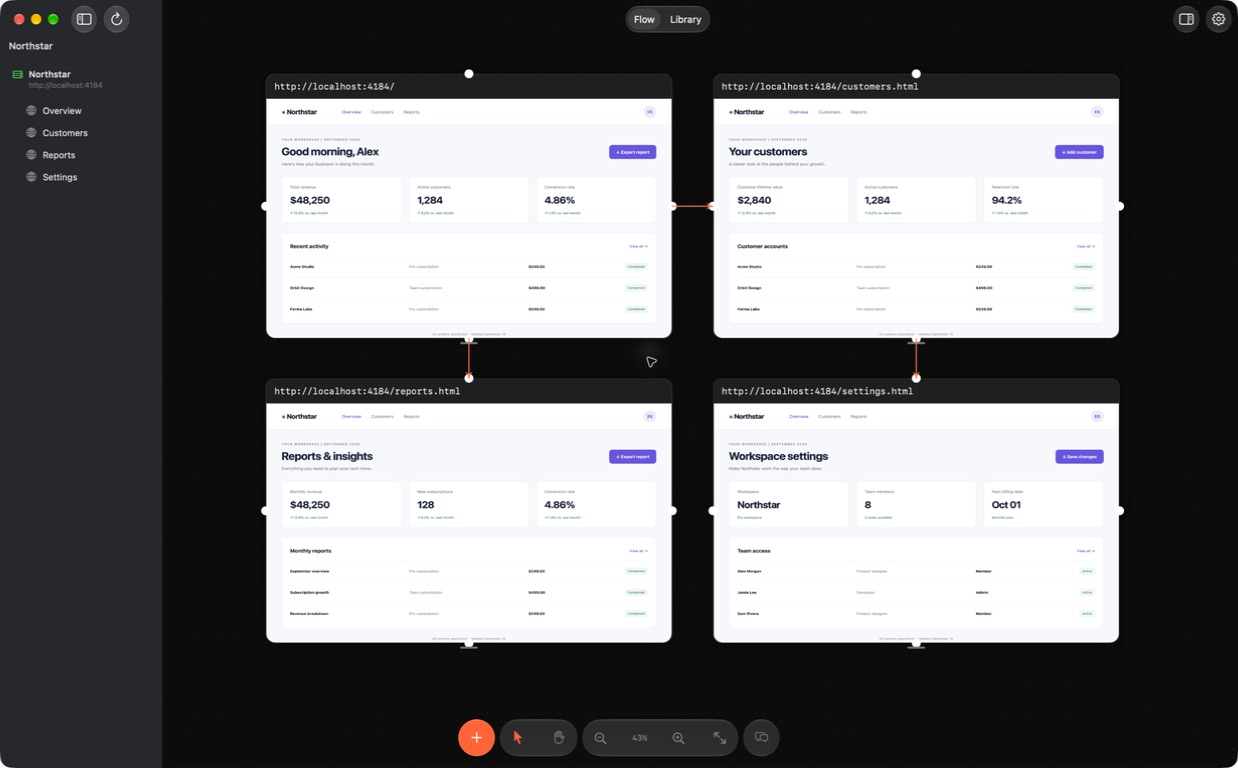
Choose a supported web project. Web Frames discovers routes, attaches to your local dev server, and maps pages spatially on the canvas.
Web Frames is a native macOS app built for developers, designers, and teams creating products with AI coding agents. Inspect live pages and components on an infinite canvas, pin precise UI feedback with DOM context, and hand them to Codex or Claude Code to fix code under your review.
Version 1.1.7 · Apple notarized · Apple Silicon · macOS 15+ · Release notes
Core workflow
Visual QA usually fractures across browser tabs, screenshots, chat threads, and unverified AI edits. Web Frames brings project pages, visual evidence, and guided agent fixes into one continuous loop.
Choose a supported web project. Web Frames discovers routes, attaches to your local dev server, and maps pages spatially on the canvas.
Interact with live localhost pages, public URLs, and reference images (PNG/SVG) on an infinite canvas with real DOM and responsive viewports.
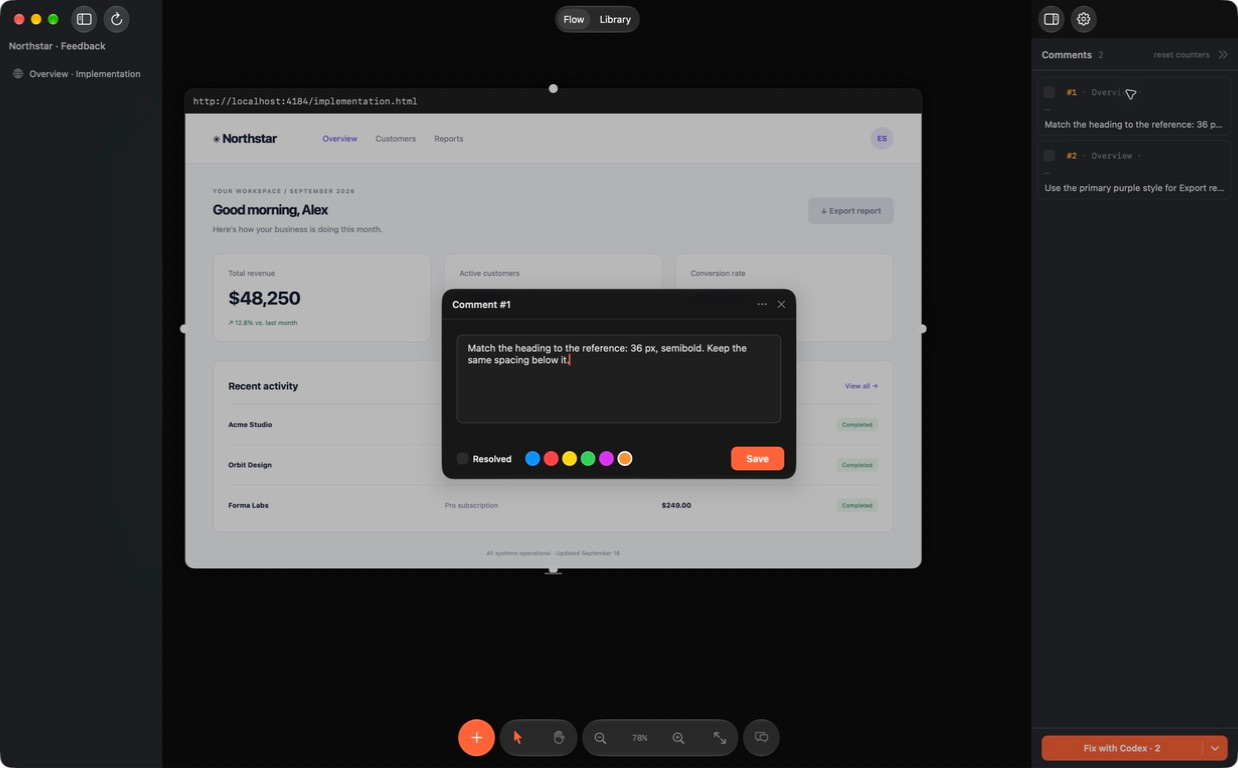
Pin precise feedback directly to UI elements. Live frames capture DOM hierarchy and styles; reference images capture crops and pin coordinates.
Send open comments to Codex or Claude Code through your signed-in connection, or expose them to other tools via local MCP. Agents can resolve comments when you enable that permission.
Inspect exact side-by-side diffs before anything is written to disk. Confirm changes, reload the live frame, and verify the updated UI.
Developer preview
Available today as a preview for macOS. Web Frames gives developers and AI coding agents the visual and DOM context needed for precise frontend fixes.
Arrange localhost dev servers, public websites, and reference images side-by-side. Pan, zoom, and inspect responsive viewports on a native canvas instead of flipping between disconnected browser tabs.
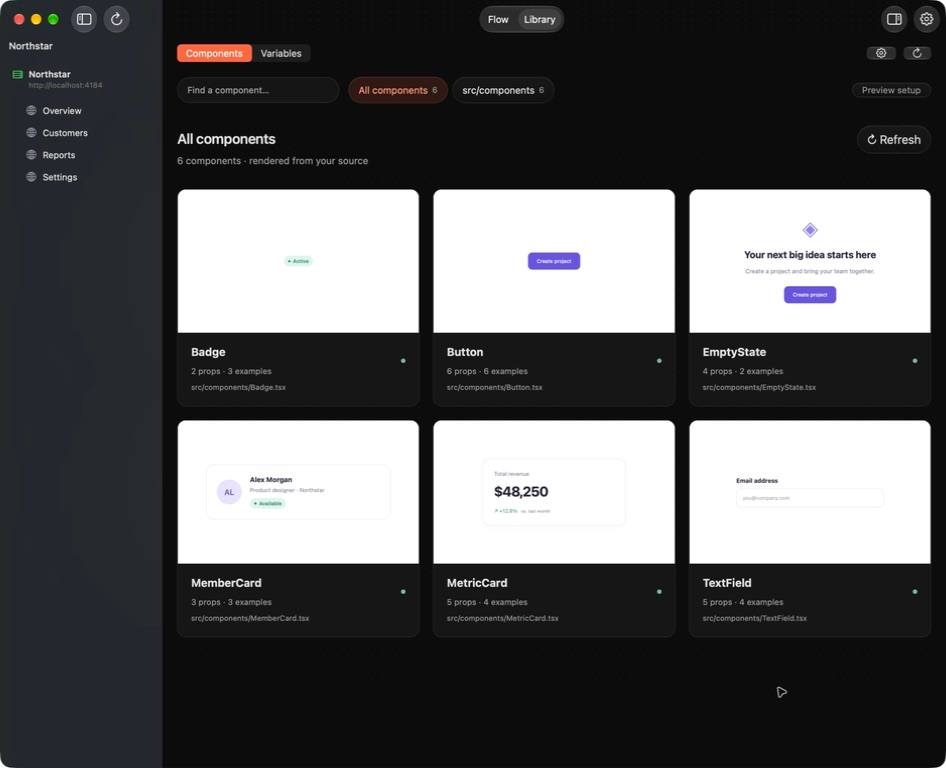
Inventory exported components and tokens directly from project source. Preview supported components in isolation (mock data or environment configuration may be required).
Import supported web projects to auto-discover routes, place pages on the map, and monitor connected dev server status in real time.
Pin feedback directly to UI elements. Live frames capture selector, DOM context, and styles; reference images capture frame title, coordinates, and crops.
Send open comments and visual evidence to your signed-in Codex or Claude Code connection to generate targeted code patches under your supervision.
Use the setup wizard to connect Claude Code, Claude Desktop or another MCP client and test board access. Agents can read comments, screen recipes and references. Comment status and screenshot updates have separate permissions, both off by default.
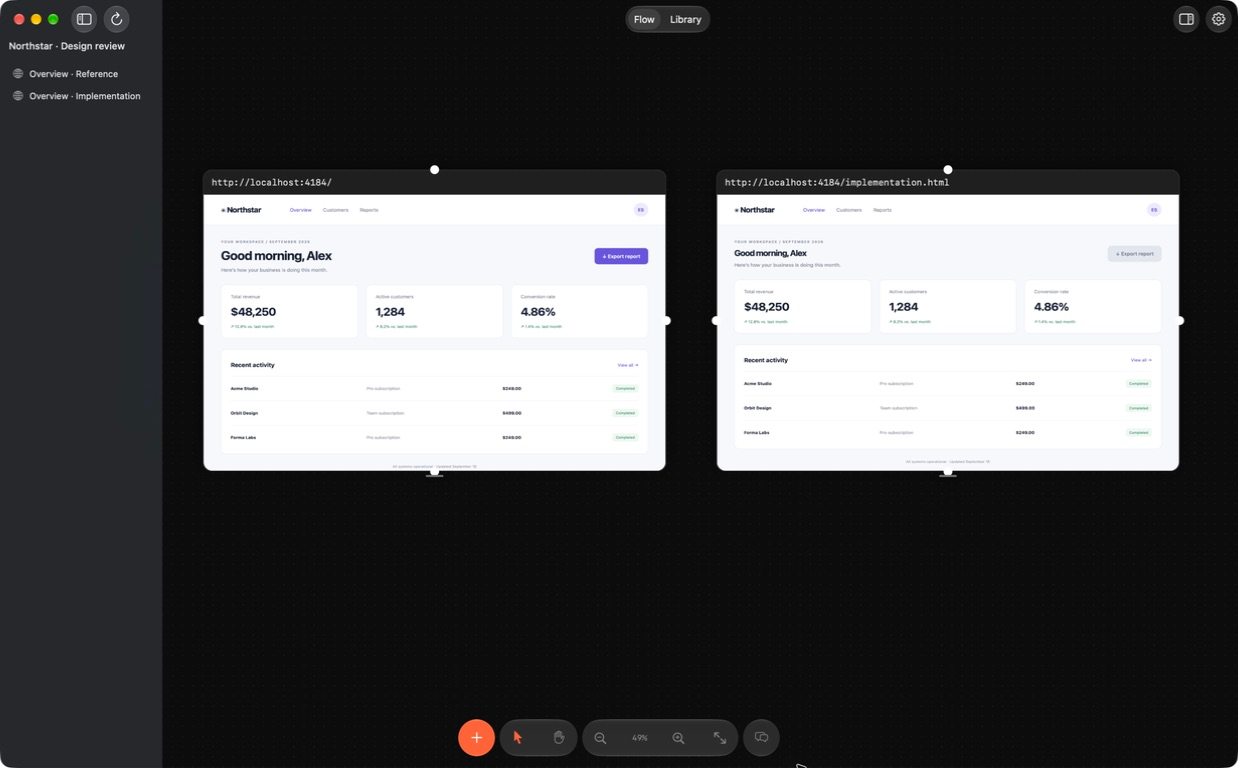
Compare live localhost frames with PNG or SVG design references. Astra analyzes matching viewports to pinpoint visual differences and layout drift.
No code is modified silently. Proposed changes are displayed in an exact diff viewer. Writes occur only after explicit review and approval.
Collect related frames in a section, choose its reference and give your agent a task. Magnetic guides help align frames; screenshot batches arrive in a spaced grid. Save screen flows and deeplinks on image frames so an external agent can capture the right screen. Screenshot updates preserve comments and links, and Undo stays correct after saving and reopening.
Web Frames is currently in developer preview. We support select web project layouts, and component previews depend on project configuration. Broad framework omniscience, auto-detection of every dynamic state, and automatic refreshes of static imported screenshots are not supported. AI features require a connected, signed-in coding agent; they are not fully offline.
Roadmap
Web Frames is built step-by-step with clear milestones. No speculative timelines — here is what is available in preview and what is actively planned.
The complete web loop: live localhost and public web pages on an infinite canvas, route discovery, dev server control, component and CSS variable inventory, visual and DOM-aware comments, Astra comparison, and Fix with your agent with explicit diff review.
Advanced inventory intelligence: detect similar and duplicate components across the codebase, analyze real-world usage patterns, prune unused components, and consolidate styles with AI agents — with all changes subject to review and confirmation.
Available now: manually collect variants, choose a reference and assign an agent task. Automatic grouping and duplicate detection remain planned.
Connecting mobile projects to native simulators and emulators. Target workflow: comment on a screenshot → agent fixes source code → build and open the target screen → capture a new screenshot in the same card while preserving position and history.
Available now: external agents can read a saved screen flow and replace an image through MCP when you enable it. Native emulator control, batch refresh and live streaming remain planned.
Design review becomes actionable when the feedback, the code change, and the proof live in the same place.
WEB FRAMES · NATIVE VISUAL WORKSPACE FOR WEB PROJECTS
Developer preview
Web Frames is a native macOS developer preview designed for developers, designers, and teams building products with AI coding agents. Explore the project, join the discussion, and follow our roadmap.