 web frames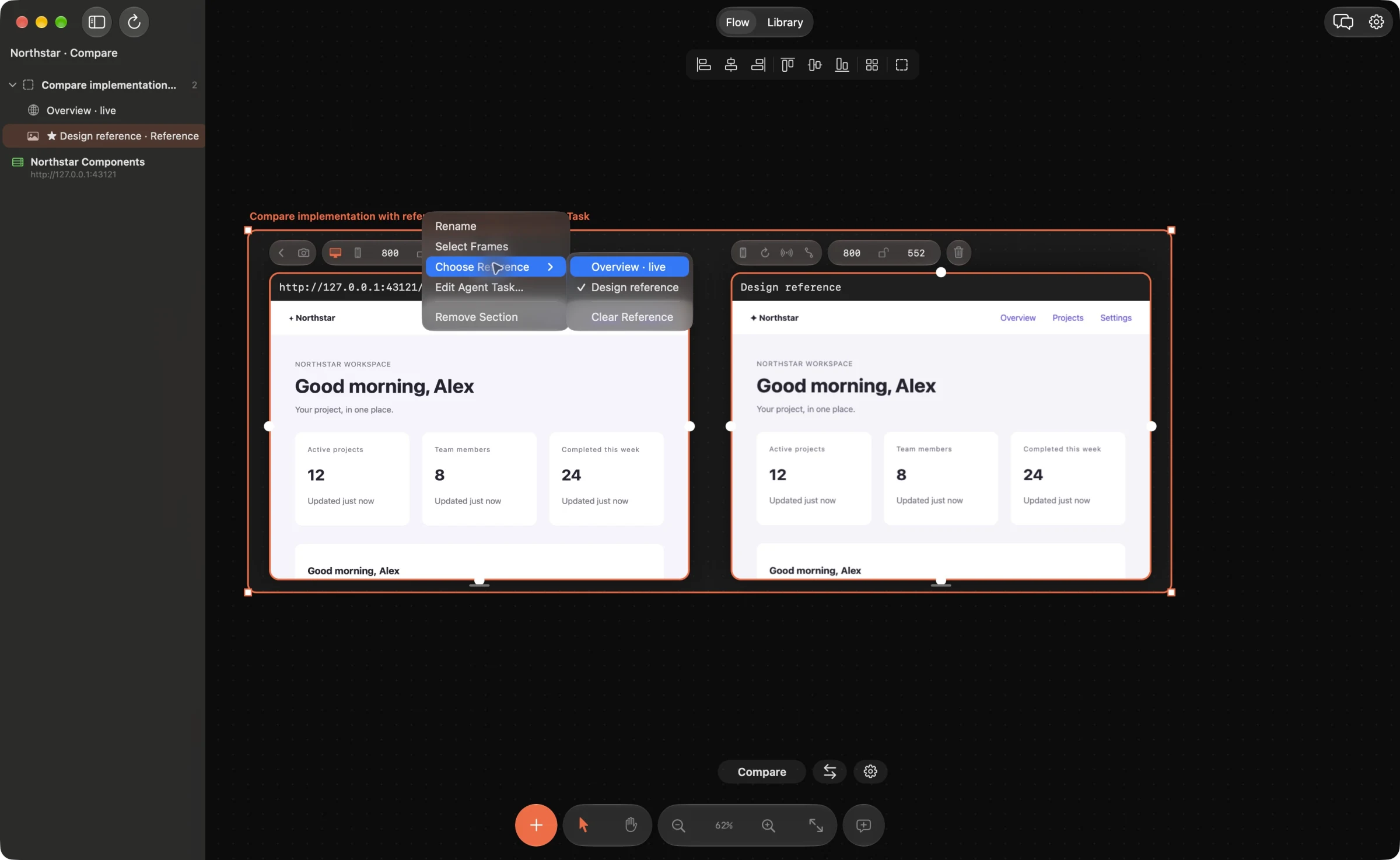
Collect variants with the same job
Add the relevant screens, component previews or screenshots to the canvas. Put comparable variants in one section: primary action buttons, empty states or product cards, for example. Keep different semantic roles in separate groups. A destructive button and a primary submit button should not become identical simply because their outlines look similar.
Component previews depend on the project’s providers, props and configuration. If a component cannot run in isolation, use a screenshot of its real rendered state and leave a comment identifying its source.
Set the reference on the section
Right-click the section title, open Choose Reference and pick a frame from that section. The reference is marked on the board and in the frame list. Use Edit Agent Task… in the same section menu to describe what should be unified.
Be precise about the scope: adopt the reference spacing and typography, preserve each button’s label and action, retain disabled and loading states. Choosing a reference records your intent; it does not immediately rewrite components.
Give the agent the section context
Your MCP-connected agent can read the section, its reference and task. Ask it to identify where the variants come from and propose a small change using existing tokens. If a source mapping is unclear, the agent should ask or report that uncertainty rather than invent a file.
Grouping is manual. Web Frames does not currently find every duplicate automatically, prove that components are interchangeable or select a design winner for you.
Review the change in every relevant state
Inspect the proposed source diff before Apply. After applying, reload the affected pages or refresh their saved mobile screenshots. Check the reference alongside the variants, including loading, disabled, error and narrow-screen states where relevant.
Reference choice and section task are saved with the board and support Undo. You can clear or change the reference when the design decision changes.
Example agent brief
Adapt the frame and section names to your board. Send this through your connected agent.
Read the “Primary actions” section, its chosen reference and agent task. Propose consistent spacing, typography and radius using existing tokens. Preserve labels, actions and disabled/loading behavior. Show the affected files and checks before applying changes.
Try this on your next review
Web Frames 1.1.9 runs on Apple Silicon Macs with macOS 15 or later.
Download Web Frames 1.1.9