 web frames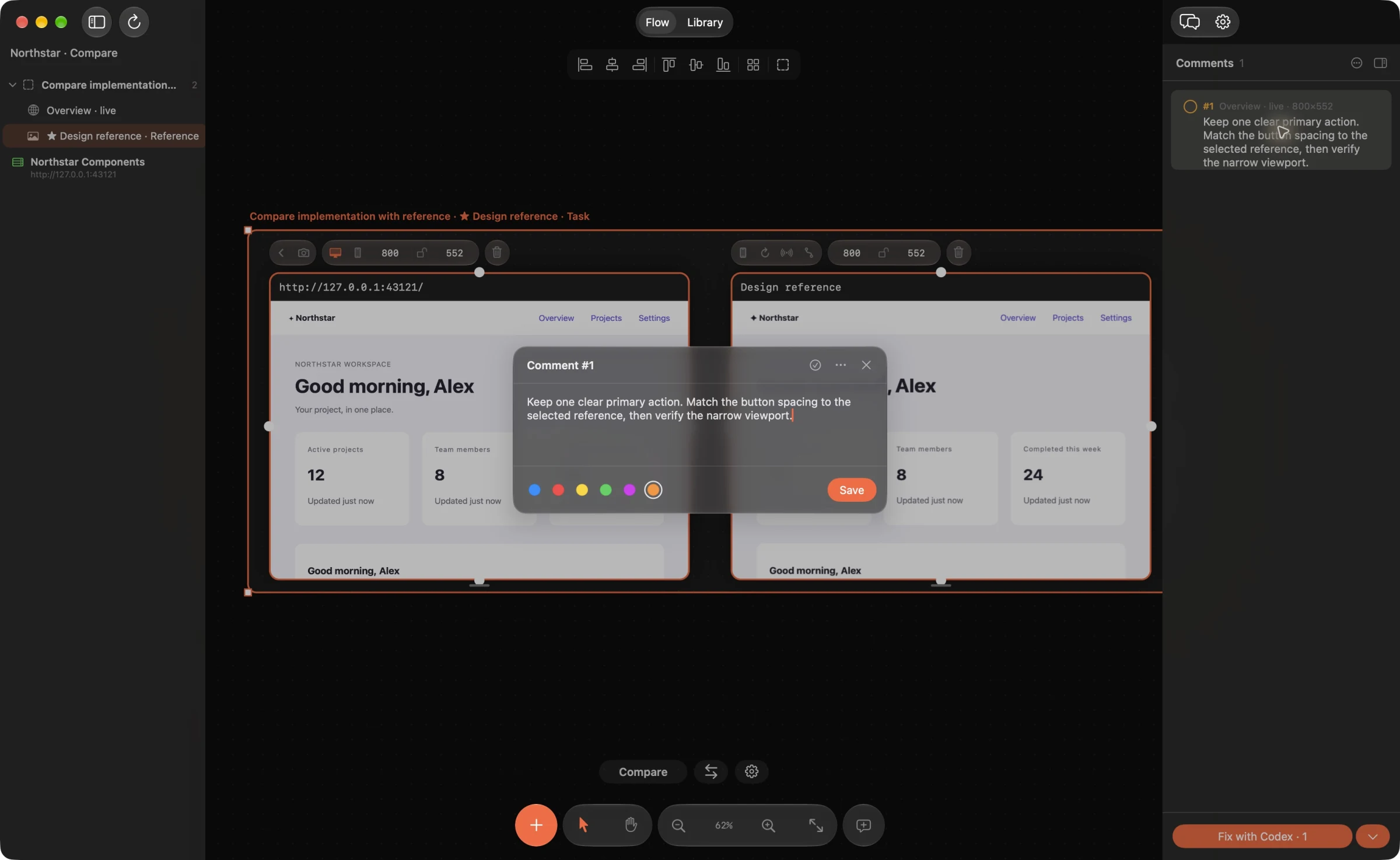
Agree on the question and review conditions
Write down the audience, task and expected outcome before opening the screens. For example: “Can a first-time customer choose a plan and understand what happens next?” Specify the device size, account state, language and theme. If two reviewers see different conditions, their feedback may describe different problems.
Choose a bounded flow rather than the whole product. Put the current screens in order and add the relevant design or component reference. In Web Frames, named sections can separate the current implementation, the target and unresolved questions.
Review in passes instead of reacting to everything
- Task and content: is the next action clear, and is the information needed to decide present?
- Hierarchy and layout: do emphasis, grouping, alignment and spacing support that task?
- Consistency: do components with the same purpose use the agreed reference and terminology?
- States and responsiveness: what happens when content is empty, loading, long, invalid or displayed on a narrow screen?
- Accessibility: check keyboard use, focus, labels and contrast with the appropriate tools and human review.
Use W3C’s WCAG quick reference to ground accessibility checks. A screenshot-only review cannot tell you everything about keyboard behavior or assistive-technology output.
Write feedback someone can verify
Each comment should identify the observed problem, its effect on the task and the expected outcome. “The validation message appears below the viewport, so the customer does not see why submission failed. Show the error next to the affected field and keep it visible” provides a testable direction.
Distinguish a defect from a design preference or an unanswered product question. Pin the comment to the relevant element or region and name the viewport or state when it matters. On live web frames, Web Frames can include DOM context and styles; image frames provide coordinates and visual crops.
Prioritize and assign a small next step
Group the findings into blockers, important improvements and optional polish. Give priority to issues that prevent the task, hide essential information or recur across the flow. Avoid turning every preference into a release blocker.
Keep one owner for each decision. If the agent needs to unify components, choose the reference and record the section task before asking for code. If the team has not decided on the intended interaction, resolve that question before requesting an implementation.
Verify the changed UI and close the loop
Ask for a small patch linked to the review comments. For web source, inspect the built-in Fix diff and Apply the accepted change, then reload the implementation. For native source, review and apply the change in your external agent’s workflow, then build and refresh the mobile screenshot. Re-run the same task under the same conditions and check the affected states.
A short review record can be a board section containing the issue, evidence, decision and verification result. Mark comments resolved after that check. Keep uncertain findings open rather than reporting an AI-generated proposal as a completed fix.
Example agent brief
Adapt the frame and section names to your board. Send this through your connected agent.
Run a design review of the signup flow in this section. Check task clarity, hierarchy, component consistency and missing states. For each finding, give the frame, exact region, user impact, priority and acceptance criterion. Separate defects, preferences and product questions. Do not edit code yet.
Try this on your next review
Web Frames 1.1.9 runs on Apple Silicon Macs with macOS 15 or later.
Download Web Frames 1.1.9