 web frames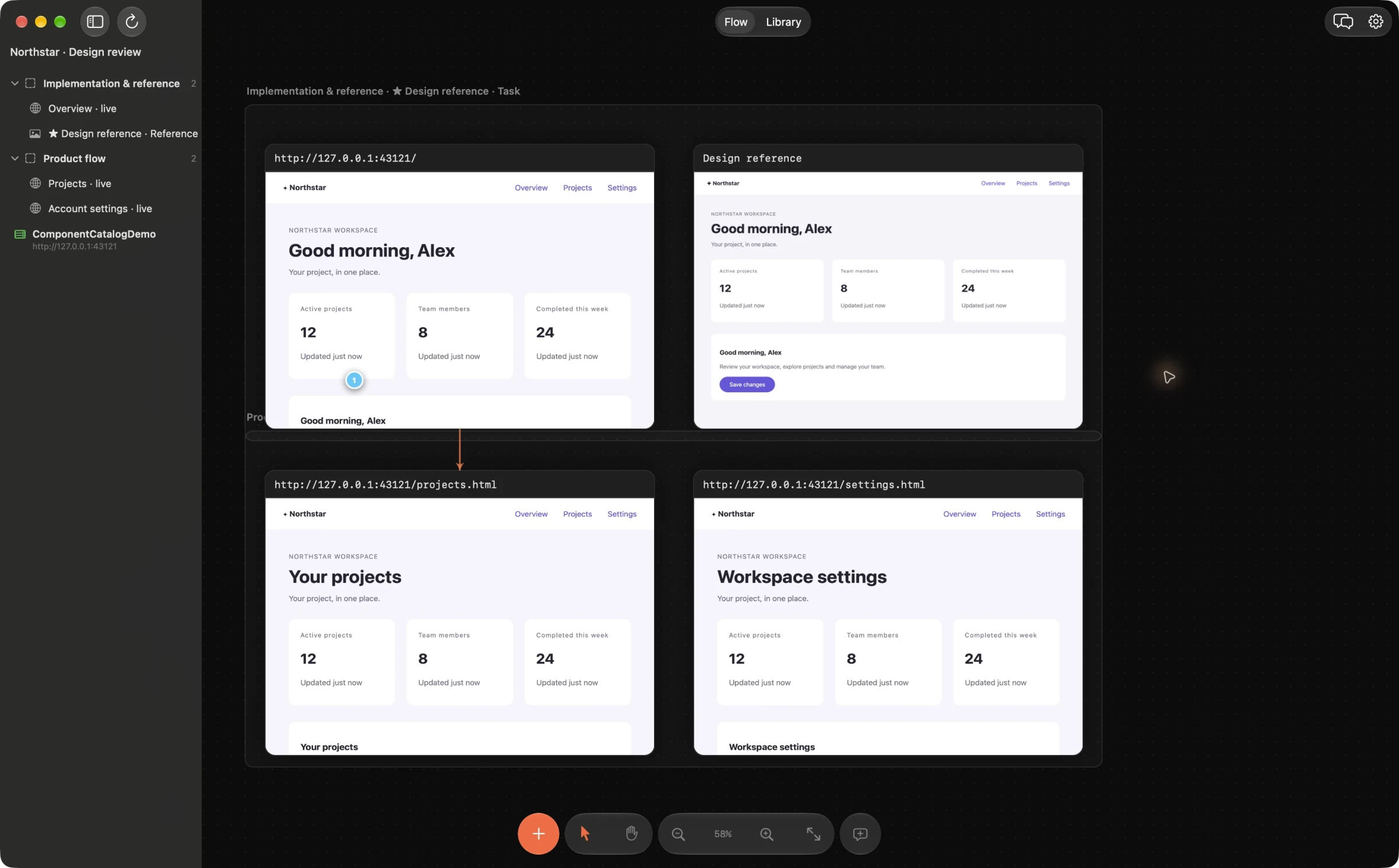
Identify where the repeated work happens
Follow one change from the original feedback to its verification. Notice where you recapture a screen, paste context into a prompt, look up the source file or ask which component should be the reference. Start with the repeated step that causes confusion most often.
Keep a simple record for a few changes: time to prepare evidence, time spent clarifying the request and time to verify the result. Use your own baseline to judge improvement. This workflow does not promise a universal time saving or a fixed percentage increase in productivity.
Keep the task’s context on one board
Arrange the implementation, reference and important states in a named section. Give frames descriptive names. Pin feedback to the exact detail and choose a reference when variants need to be unified. A stable board gives the next request somewhere to point instead of rebuilding the explanation from memory.
Use live localhost frames while iterating on web UI. Imported images and PDF pages are stable references; they do not update automatically. For mobile screens, save a simulator recipe and the test state needed to reach the same screen.
Turn one comment into one bounded change
A good request states the visible issue, desired result, constraints and a way to verify it. Ask the agent to use existing tokens and avoid unrelated cleanup. Reuse a brief structure, but include the evidence and conditions specific to the current task.
For supported web source, review the built-in Fix patch before Apply. For native app source, use the external agent’s own code review and rollback tools. Small changes are easier to compare with the original feedback and easier to undo. Batching unrelated visual, behavioral and architectural changes into one prompt can create more review work than it removes.
Reuse capture steps, keep permissions deliberate
After a web change, reload the existing live frame. After a mobile change, refresh the saved iOS or Android recipe; a selected-screen batch can update several related frames with one Undo. Use native build/install only when the changed source needs a new app build.
MCP lets a connected agent read the board context. Comment status changes, external image updates, native capture and project builds have distinct permissions. Grant what the task needs, rather than treating speed as a reason to enable every action.
Make completion visible
Check the same task and states used for the original review. Resolve a comment after verifying the result, and keep the reference available for the next related change. When a patch fails, record what still differs instead of sending a fresh broad prompt to redesign the screen.
Compare the next few changes with your baseline. If most time is still spent on missing product decisions or unreliable test data, fix those causes directly. A visual workspace supports the loop; it cannot decide the product strategy or repair an arbitrary backend for you.
Example agent brief
Adapt the frame and section names to your board. Send this through your connected agent.
Use the existing section, reference and pinned comment. Propose the smallest change that meets the acceptance criterion, with no unrelated refactor. After I Apply, repeat the same review conditions and report which findings are verified and which remain open.
Try this on your next review
Web Frames 1.1.9 runs on Apple Silicon Macs with macOS 15 or later.
Download Web Frames 1.1.9