 web frames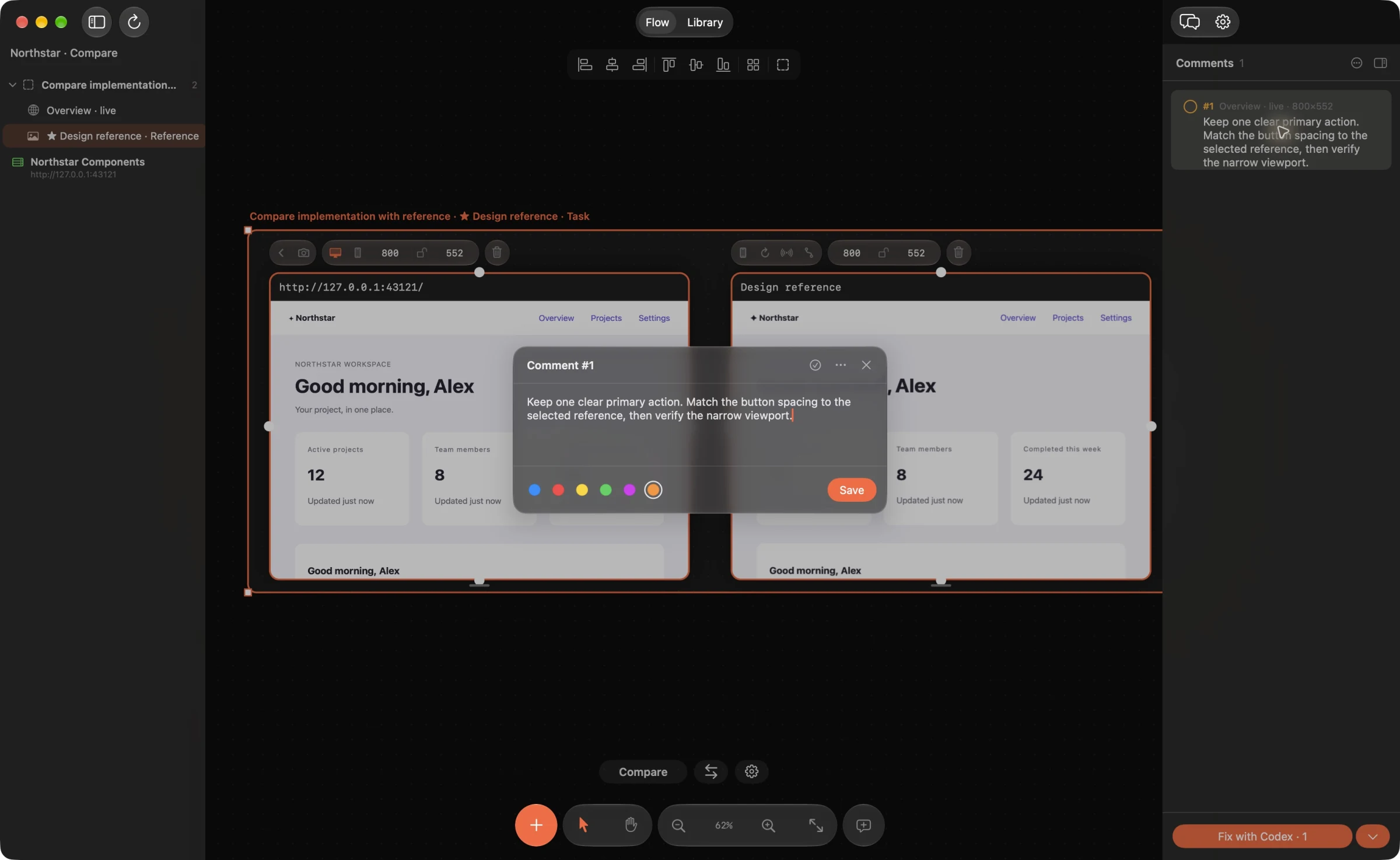
Pin a focused comment
Open your local UI on the canvas and add a point or region comment. For live pages, Web Frames captures relevant DOM context and styles; screenshots include the selected region and coordinates. Describe one observable issue and the intended behavior.
For example: “At this width, the submit button overlaps the final input. Keep a clear gap and preserve the current keyboard order.” Include a reference frame when appearance matters.
Connect your agent and source
Connect your signed-in Codex or Claude Code installation in Web Frames settings. Select the local source folder that owns the UI, then use Fix for the relevant comments. The built-in workflow gives the agent bounded source context and asks it for a proposed patch. In 1.1.9 it supports existing HTML, CSS, JavaScript, JSX, TypeScript, TSX and JSON source files. For Swift or Kotlin changes, use an external coding agent’s source tools and code review; Web Frames can supply the screenshots and comments, then refresh captures after your build.
AI features use your chosen connection and account; they are not fully offline. Read the proposed scope and avoid including secrets or private customer data in screenshots and comments.
Read the diff before Apply
The review shows the files and exact changes proposed by the agent. Check that the patch addresses the comment, preserves unrelated behavior and fits your codebase. Choose Apply only when you accept it; a generated proposal alone does not modify the source.
External coding agents may also have their own filesystem tools and permissions. The built-in review guarantee describes Web Frames’ Fix/Apply path, not every action an independently running agent can take.
Reload, verify and keep the evidence
After Apply, reload the live frame and exercise the affected interaction. Compare against the reference or comment, and run the project’s relevant checks. In the built-in workflow, Undo can restore the source change if the result is wrong. If the file has since been edited, Undo refuses to overwrite that newer work; review or revert it through source control instead. Mark a comment resolved after visual review.
Local MCP can expose board context to another agent. Comment resolution, external screenshot updates and native simulator capture each have separate permissions, off by default. Reading a board does not require granting all write capabilities.
Example agent brief
Adapt the frame and section names to your board. Send this through your connected agent.
Fix only the overlap described by this comment. Preserve input behavior and keyboard order. Propose a minimal patch and a verification step. I will review the diff before Apply.
Try this on your next review
Web Frames 1.1.9 runs on Apple Silicon Macs with macOS 15 or later.
Download Web Frames 1.1.9